How to Batch Download TikTok Videos and Automatically Save Them to Google Drive
Many GrabClip users eventually run into the same problem:
They need to save a lot of TikTok videos.
For example:
- Collecting creative inspiration
- Saving competitor videos for analysis
- Building a content library
- Backing up published content
If you only download TikTok videos occasionally, GrabClip is already more than enough.
However, if you need to save dozens or even hundreds of videos every day, downloading them manually becomes very time-consuming.
For users with batch download needs, a more efficient solution is to automate the process and automatically archive TikTok videos to Google Drive.
A Simple Automation Workflow
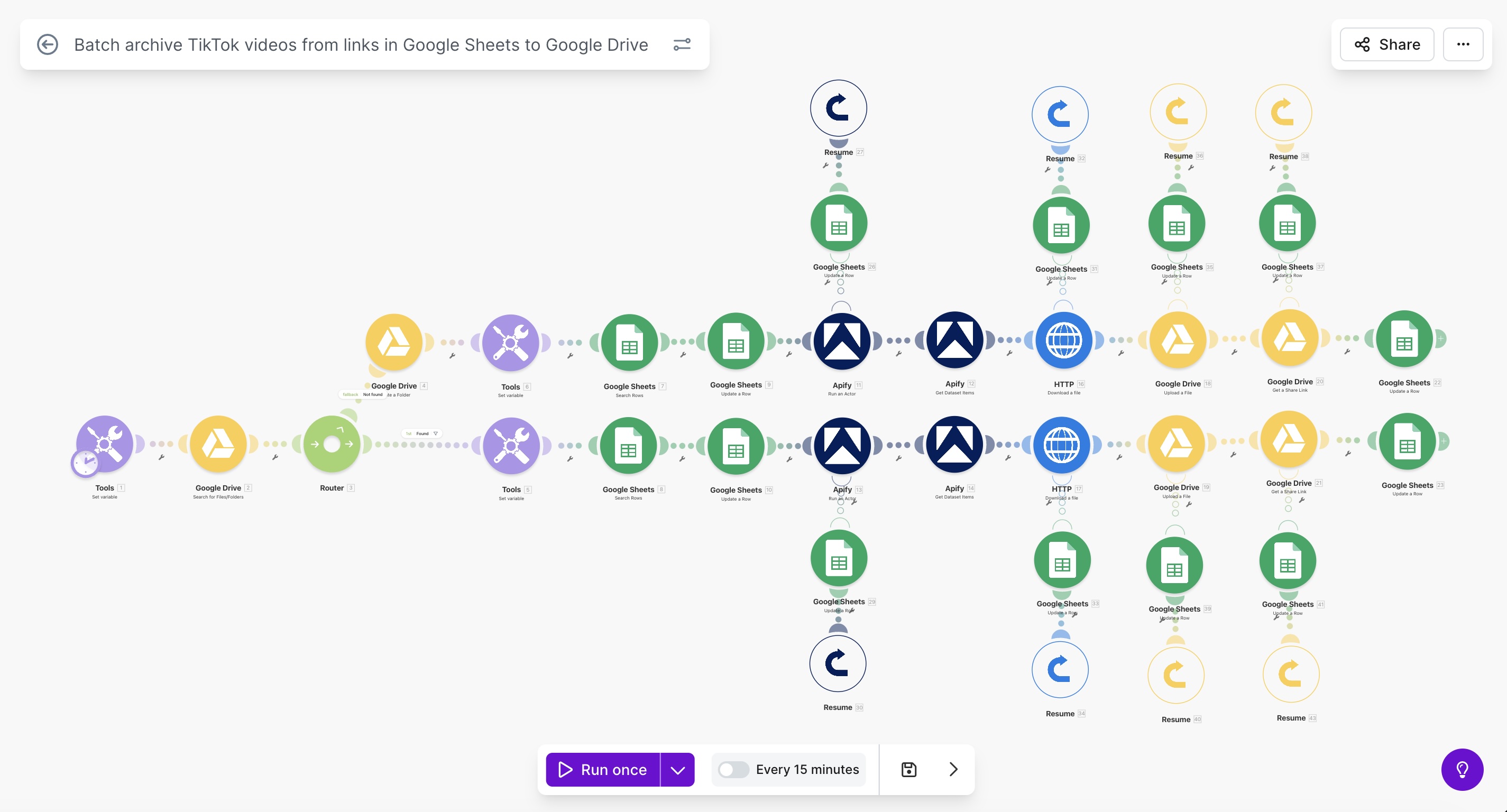
Batch downloading TikTok videos can actually be done with a simple workflow:
- Paste TikTok video links into a Google Sheets spreadsheet
- Automatically resolve the video download URLs
- Download the video files
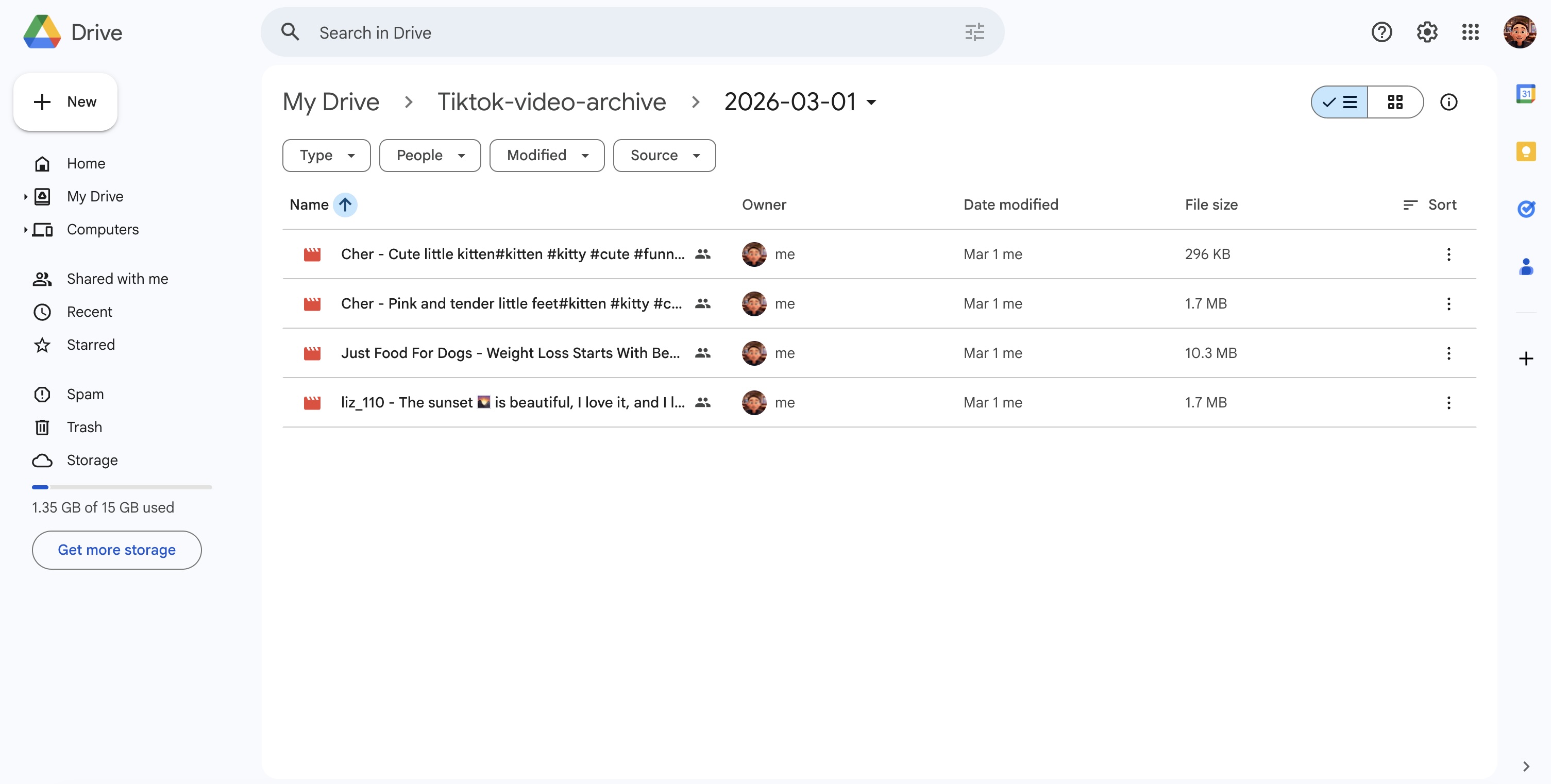
- Upload them to Google Drive
- Update the spreadsheet with video information and file links
Once this is set up, you only need to keep adding TikTok links into the sheet, and the system will automatically download and organize the videos.
Getting TikTok Video Download Links
One key step in this workflow is retrieving the actual download URL from a TikTok link.
You can use this tool:
https://apify.com/liul/tiktok-video-audio-downloader
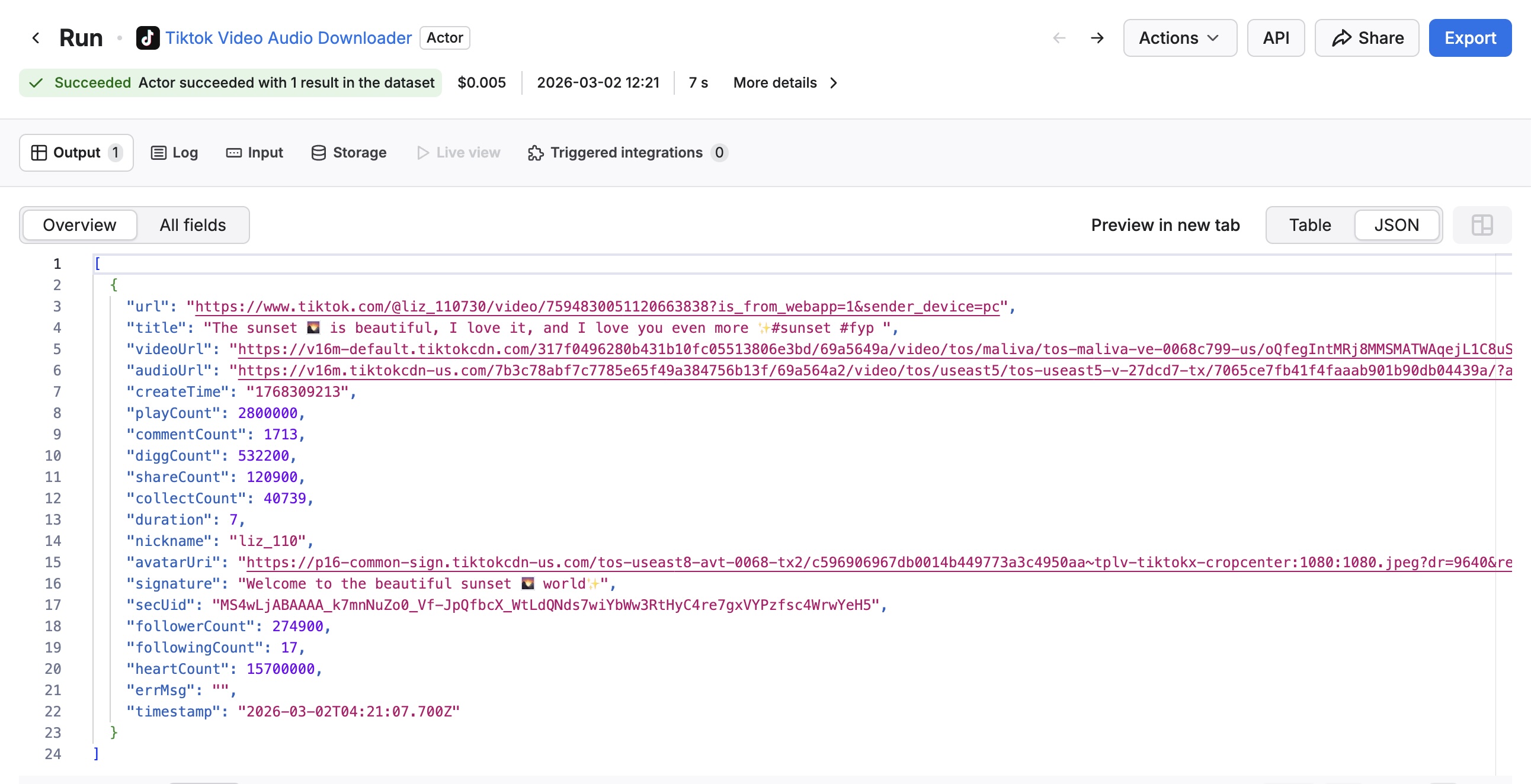
By providing a TikTok video URL, it returns structured data such as:
- Video download URL
- Audio download URL
- Video title
- Creator / author information
- Additional metadata about the video
This structured output makes it very convenient for automation workflows.
Using a Ready-Made Automation Template
If you don’t want to build the entire workflow from scratch, you can use this ready-made automation template:
https://us2.make.com/templates/18624?templatePublicId=18625
The template already includes the full workflow:
- Read TikTok links from Google Sheets
- Retrieve video download information
- Download the video files
- Upload them to Google Drive
- Update the spreadsheet with results
After a simple setup, you can just paste TikTok links into the sheet and let the automation process handle the rest.
Tracking Download Status in Google Sheets
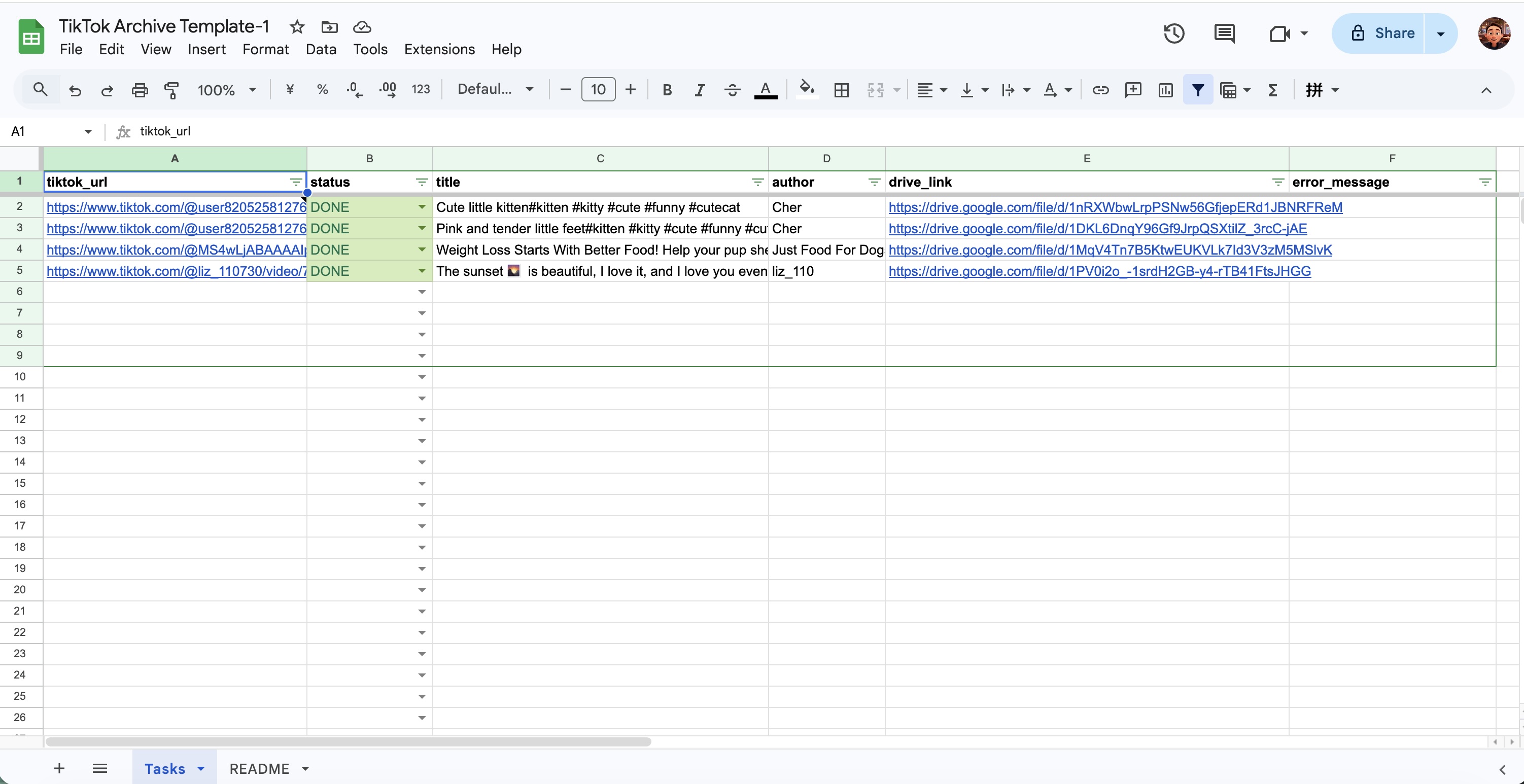
The automation also updates the spreadsheet with useful information such as:
- Download status
- Video title
- Creator name
- Google Drive file link
This makes it easy to manage and track large numbers of videos.
Who This Is Useful For
This automation workflow is especially useful for:
- Content creators
- TikTok Shop sellers
- E-commerce teams
- Social media managers
If you frequently collect or organize TikTok videos, this approach can save a significant amount of time.
Summary
If you only download TikTok videos occasionally, GrabClip is already a great tool for the job.
But if you need to batch download and manage a large number of videos, automation can make the process much more efficient.
By combining Google Sheets, a TikTok video parser, and Google Drive, you can create a simple but powerful TikTok video archiving system.
For anyone who regularly manages TikTok video content, this workflow is definitely worth trying.